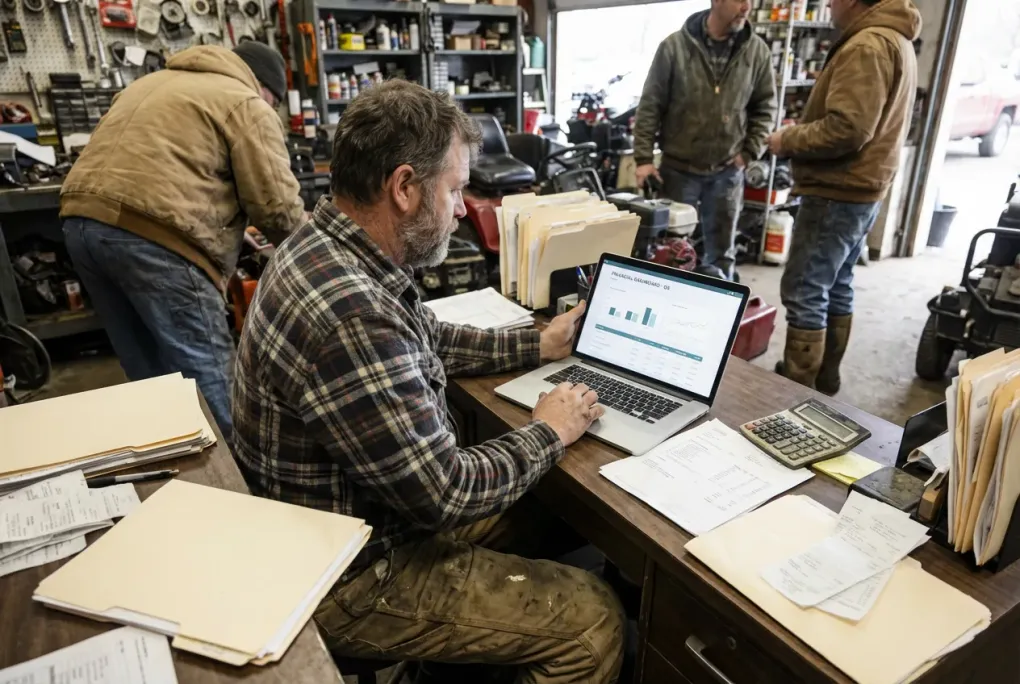
Should You Use an AI Accountant for Your Crew? Adam by Tyms for Small Businesses
If you run a small crew-based business, your week usually looks like this:
- Crews in the field
- Invoices going out
- Bills coming in
- Bank accounts moving every day
You know you should have clean books, but between payroll, bids, and putting out fires, accounting is the thing that gets handled later.
Tools like Adam by Tyms try to solve that by acting like an AI accountant that sits on top of your bank accounts and bookkeeping. Instead of you wrestling with spreadsheets or complex software, you connect your bank, upload statements, and let Adam categorize transactions, generate financials, and answer questions in plain English.
This page is not a hype page. It is here so you can decide if this is worth testing for your size of business, and what role it should play next to your payroll and time tracking tools.
What Adam by Tyms actually does (in normal words)
Adam is built to do three main jobs for a small business:
-
Ingest your money flow
- Connect bank accounts, or upload bank statements
- Pull in transactions automatically
-
Clean and organize the data
- Categorize income and expenses
- Keep a structured chart of accounts
- Maintain the ledgers and journals in the background
-
Spit out the numbers you or your accountant care about
- Income statement, balance sheet, cash flow, trial balance
- Dashboards that show how the business is doing
- Answers to questions like:
- “How much did we spend on fuel this month”
- “Which client or job has the highest margin”
You talk to it like a person (web, WhatsApp, email), and it does the bookkeeping heavy lifting.
You can use Adam as:
- A standalone accounting system, or
- An AI layer on top of tools like QuickBooks or Xero, where it syncs back and forth instead of forcing a full migration
Where it fits for crew-based businesses
For a typical 5–50 person crew business (construction, field services, cleaning, etc.), the stack usually looks like:
- Time tracking and scheduling → something like TimeCamp or Connecteam
- Payroll and HR → something like WebHR or a payroll provider
- Accounting → QuickBooks, Xero, or whatever you have hacked together
Adam is trying to live in that third slot.
Good fits:
- You want clean books and basic financial reports without becoming your own bookkeeper
- You often fall behind on categorizing transactions because you would rather be in the field or selling
- You want to ask questions about your numbers in normal language instead of wrestling with reports
Not a great fit:
- You already have an accountant and bookkeeper who are on top of things and you like the current workflow
- You do heavy, custom job costing inside another system and do not want one more tool in the mix
- You are allergic to anything AI flavored and just want classic accounting software
What about pricing
Pricing can move around, but as of late 2025, Adam’s own site shows:
- Starter style plans in the low tens of dollars per month for solo owners
- Higher tiers for businesses that:
- Sync multiple US bank accounts
- Handle higher monthly transaction volume
- Want more capacity and integrations
Tyms also has its own classic accounting plans that start at a few dollars per user per month, with full accounting features, if you would rather think in terms of users or branches than AI credits.
Bottom line: it is usually cheaper than a full blown accounting department, and roughly in line with other small business accounting tools, especially if you factor in time saved.
Always double check their live pricing page before you buy, because promo deals and tiers can change.
Pros for a small crew owner
From the point of view of a small construction or field-service owner, the upside looks like this:
-
Less “I will do the books on Sunday” guilt.
You can upload statements and let Adam categorize and post transactions. -
Faster visibility into whether jobs are paying off.
When the books stay current, you see sooner if you are making money or just staying busy. -
Plain language answers.
You do not have to know where the report lives. You can ask practical questions and let the tool do the digging. -
Works with existing tools.
If you are already on QuickBooks or Xero, Adam can sync instead of forcing a hard switch.
Cons and things to watch
No tool is magic, and Adam has tradeoffs you should know about:
-
You still need to care a little.
If nobody ever checks what the AI is doing, errors can sit in your books. It lightens the load, it does not remove ownership. -
Bank sync can still be imperfect at times.
Like any modern fintech tool, you may occasionally need to upload statements manually. -
AI credits and usage limits.
Some plans use a credit model for chats, transactions, and document uploads, so heavy users may need higher tiers. -
It is not built just for construction.
You may need to work with your accountant to make sure job costing and your chart of accounts match how you think about jobs and crews.
How it plays with your payroll and time tracking
Adam lives on the accounting side, but the value shows up only if your payroll and time tracking stack is not a mess.
If you are still figuring out your base setup, start there:
- Read our guide on getting a stable setup: Best payroll and time tracking setup for 10 to 50 person construction crews
- If you mix W2s and 1099s, make sure you are not creating tax problems: How to handle payroll when you have both W2 employees and 1099 contractors
Once that part is stable, Adam can help you see whether those jobs are actually profitable, not just busy.
How does an AI accountant help small crew-based businesses?
Running a small crew means juggling a lot: managing crews, tracking time, handling payroll, and chasing payments. An AI accountant like Adam by Tyms helps by automating the bookkeeping part, which is often the most tedious.
For example, imagine you have a crew working on multiple jobs in a week. Instead of manually sorting through bank transactions and receipts, Adam automatically categorizes expenses like fuel, materials, and subcontractor payments. It can then show you which jobs are making money and which are not, without you digging through spreadsheets.
This saves time and reduces errors, letting you focus on managing crews and growing your business instead of wrestling with accounting software.
Advantages of using AI bookkeeping for small construction crews
AI bookkeeping tools bring several advantages to small crews:
- Speed and accuracy: Transactions get categorized quickly and consistently, cutting down on bookkeeping backlog.
- Real-time insights: You get up-to-date financial reports and dashboards that help you spot problems early, like a job running over budget.
- Less reliance on manual data entry: Upload bank statements or connect accounts, and the AI does the heavy lifting.
- Easy questions in plain language: Instead of hunting through reports, just ask “How much did we spend on materials this month?” and get an instant answer.
For a small construction crew, this means less time lost to paperwork and more time on the jobsite or bidding new work.
When Adam is the best AI accountant software for small business crews
If you are new to accounting software or frustrated with complex tools, Adam can be a good fit. It works well if you want:
- To get your books clean without learning accounting yourself
- To avoid switching fully from QuickBooks or Xero but want a simpler interface
- To ask straightforward questions about your finances without running reports
If you already have a trusted bookkeeper or use heavy custom job costing software, it might not add as much value. But for many small crew owners, it’s a way to get better financial control without hiring a full-time accountant.
When Adam makes sense in your stack
For a small crew business, think of Adam like this:
- If you have no real accounting system, and you are tired of being blind, Adam can be a first serious step
- If you do have QuickBooks or Xero but hate using it, Adam can act as a friendlier front end
- If you already have a bookkeeper you trust, Adam might still be useful as a helper for them, but talk to them first
A simple way to test it:
- Pick one entity (one LLC or one business)
- Connect or upload one or two bank accounts
- Run it for a month or two alongside your current process
- Ask very practical questions, for example:
- “What did fuel cost us this month versus last”
- “Which client had the healthiest margin this quarter”
- “Are we making any money after payroll and materials on Job X”
If Adam helps you answer those without hours of hunting, it is earning its keep.
How to decide if Adam is the best AI accountant software for your small crew business
Choosing the right AI accountant software depends on your business needs and current setup. Adam by Tyms stands out for small crews because it combines automation with easy, plain-language interaction. It’s especially helpful if you want to:
- Cut down on bookkeeping time without hiring extra help
- Get quick financial insights without wrestling with complicated reports
- Keep using your existing payroll and time tracking tools without a full system overhaul
If you want a tool that fits into your current workflow and helps you stay on top of your finances without becoming an accountant yourself, Adam is worth a test run.
How AI accountants help small crew-based businesses manage their finances
Small crew businesses juggle many moving parts every day. AI accountants like Adam help by taking over the bookkeeping grunt work. For example, if your crew buys fuel, materials, or pays subcontractors across multiple jobs, Adam automatically sorts those transactions and links them to the right categories.
This means you spend less time chasing receipts and more time managing crews and winning new jobs. Plus, you get faster answers to questions like which job is profitable or where costs are creeping up. That kind of insight can help you make smarter decisions on the fly.
What makes AI accountant software a good fit for small crews?
Small crew businesses have unique challenges: multiple jobs running at once, variable costs, and tight margins. AI accountant software like Adam fits well when you want to:
- Get your books clean without needing to learn accounting yourself
- Avoid the hassle of switching fully from tools like QuickBooks or Xero, but still want simpler access to your financials
- Ask straightforward questions about your money without digging through reports or spreadsheets
For example, a landscaping crew managing five jobs in a week can quickly see which jobs are profitable and which need attention, without waiting for a bookkeeper to catch up. This helps owners make faster decisions on where to focus their crews or adjust bids.
If your business already has a trusted bookkeeper or uses complex job costing software, AI accounting might add less value. But for many small crews, it’s a way to get better financial control without hiring a full-time accountant.
How AI accounting software improves financial visibility for small crews
Financial visibility is key for small crews to stay profitable. AI accounting software improves this by:
- Automatically categorizing transactions like fuel, materials, and subcontractor payments
- Providing up-to-date dashboards and reports that show job profitability and cash flow
- Allowing you to ask plain-language questions like “How much did we spend on materials this month?” or “Are we making money on Job X?”
For example, a small electrical contractor can see in real time if a big job is running over budget and take action before it hurts profits. This kind of insight used to require a bookkeeper spending hours sorting data. Now, AI tools can deliver it fast and without extra effort.
What is the best AI accountant software for small business crews?
For small crew-based businesses, the best AI accountant software balances ease of use, integration, and accuracy. Adam by Tyms stands out because it works with your existing bank accounts and accounting tools like QuickBooks or Xero, so you do not have to switch everything at once.
It offers:
- Automated transaction categorization tailored to small business needs
- Plain language interaction for quick answers to your financial questions
- Dashboards and reports that show job profitability and cash flow clearly
- Pricing that fits small budgets, especially compared to hiring extra bookkeeping help
Other AI accounting tools exist, but many are built for larger businesses or require full migrations from your current software. Adam’s ability to layer on top of what you already use makes it a practical choice for crews who want to improve financial control without a big disruption.
How AI accounting software fits into your existing tools and workflow
Many small crew businesses already use payroll and time tracking tools. AI accounting software like Adam complements these by focusing on bookkeeping and financial reporting without replacing your payroll system.
For example, if you use a payroll provider to handle wages and taxes, Adam can import that payroll data to show labor costs in your financial reports. This gives you a clearer picture of job profitability without switching payroll systems.
If you are still setting up your payroll and time tracking, start with a solid foundation. Our guide on getting a stable setup is a good place to begin. Once payroll and time tracking are stable, adding AI bookkeeping can help you see which jobs are truly profitable.
Common questions from owners
Can AI accountants handle payroll for small crews?
AI accounting tools like Adam focus on bookkeeping and financial reporting. They do not process payroll directly. You still need a payroll provider or software to handle wages, taxes, and compliance. Adam can integrate payroll data to show payroll costs in your financial reports, but it does not replace payroll services.
Is AI accounting software reliable for small business payroll and finances?
AI accounting software is reliable for categorizing transactions and generating reports, but it depends on regular review. You still need to check that the AI’s work matches your expectations. It reduces manual errors but does not eliminate the need for oversight.
Is AI accounting software secure for small businesses?
Reputable AI accounting tools use strong encryption and secure connections to protect your data. Adam by Tyms follows industry-standard security practices. Still, always use strong passwords and enable two-factor authentication where possible.
Will using Adam replace my accountant or bookkeeper?
Adam can reduce the time you spend on bookkeeping and give clearer financial insights, but it does not replace professional accountants or bookkeepers. You still need experts for tax filing, complex issues, and advice. Think of Adam as a tool to make their job easier.
How much training or setup does Adam require?
Adam is designed to be user-friendly, with natural language interaction and automated categorization. You will need to connect bank accounts and review categories regularly at first. Over time, it learns your preferences and requires less hands-on work.
If you’re still sorting out your payroll and time tracking setup, consider checking our guide on getting a stable setup and how to handle payroll when you have both W2 employees and 1099 contractors. Getting those basics right will make any AI accounting tool more effective.