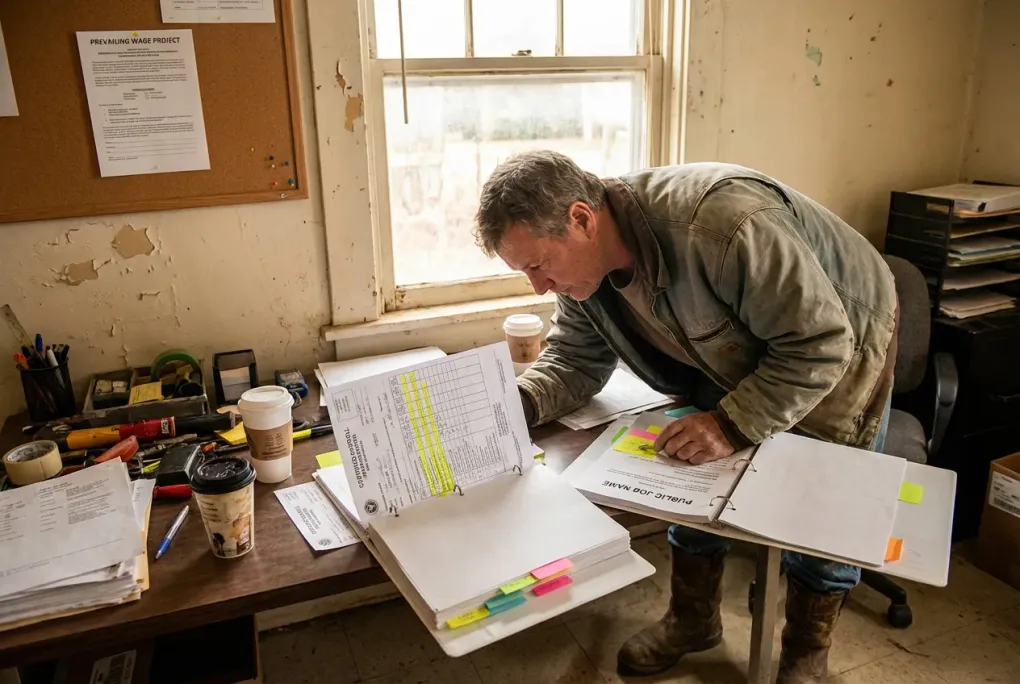
Certified Payroll Basics for Small Contractors Who Just Won a Public Job
You just landed your first public contract. Congrats. Now comes the headache: certified payroll. If your crew’s hours are still scribbled on a whiteboard or your foreman forgets to track drive time, you’re in for a mess. Certified payroll isn’t just about paying your crew; it’s about proving you paid the right wages, on time, with all the correct records. Skip the chaos and get a system that works from day one.
This post breaks down what you really need to do, what to watch out for, and how to keep your crew’s payroll clean without drowning in paperwork. You’ll get a practical checklist and a real-world example from a small roofing crew, so you can start next week with confidence.
What Certified Payroll Means for a Small Crew
Certified payroll is a government requirement on public jobs. It means you must submit weekly reports showing each worker’s hours, job classification, wage rates, deductions, and fringe benefits. The goal: prove you’re paying prevailing wages and benefits as required by the contract.
For a crew of 10 to 20 workers, like a roofing or concrete crew, this means tracking more than just clock-in and clock-out times. You need to know:
- Who worked what job classification (laborer, operator, etc.)
- Hours worked on the public job versus any other work
- Correct wage rates for each classification (sometimes different rates for straight time and overtime)
- Fringe benefits or deductions (health, pension, union dues)
- Employee certifications or apprenticeships if applicable
If you don’t get this right, you risk payment delays, fines, or losing the contract altogether.
Common Payroll Pitfalls on Small Public Jobsites
Take Joe’s roofing crew, 15 guys, all local hires. Joe used to have foremen write hours on a clipboard and then hand that to the office. On the public job, Joe found:
- Foremen forgot to track travel time between job sites (which counts as paid time)
- Some workers were misclassified (a laborer doing operator work but paid lower rate)
- Fringe benefits weren’t documented properly, causing flagged reports
- Payroll was late because the office scrambled to gather all info at week’s end
Joe’s crew was lucky to catch this early. The fix? Clear roles and a simple, consistent system.
How to Complete Certified Payroll for Small Contractors
Certified payroll can feel overwhelming, but breaking it down into steps makes it manageable:
-
Collect Daily Time by Classification and Job
Have your foremen record hours every day, specifying the job classification for each worker and noting any travel or wait time. For example, if your laborer spends 6 hours on-site and 1 hour driving between sites, both count. -
Calculate Wages Using Prevailing Wage Rates
Use the wage schedule from the contract. If a laborer’s straight time rate is $25/hour and overtime is $37.50/hour, apply those rates exactly. Double-check for any apprenticeships or certifications that affect pay. -
Add Fringe Benefits and Deductions
Fringe benefits might be paid directly or contributed to a fund. Document these amounts clearly. For example, $5/hour toward health insurance must show up on the report. -
Prepare the Certified Payroll Report
Use the government’s form or a payroll software that formats the report correctly. Include each worker’s name, classification, hours, wage rates, gross pay, deductions, and net pay. Sign the report certifying it’s accurate. -
Submit on Time
Certified payroll reports are usually due weekly, often by the following Monday. Late or incorrect reports can hold up your payments. -
Keep Copies Organized
Store signed timesheets, reports, and any correspondence together. Auditors will want to see these if they review your job.
If you want to streamline this, consider a system like WebHR that keeps time tracking, payroll, and certified payroll reporting in one place. It cuts down on errors and last-minute scrambling.
What You Need to Do Next Week: A Certified Payroll Checklist for Small Contractors
-
Assign Responsibility
Make your foremen responsible for daily time tracking by job classification. They must note hours worked, including travel or wait time, on a simple form or app. -
Standardize Time Tracking
Use a basic time sheet or a mobile time tracking app that lets foremen enter hours by classification and job. Avoid scribbles on scrap paper. -
Verify Wage Rates and Classifications
Before payroll, double-check that each worker’s classification and wage rate match the contract’s prevailing wage schedule. Keep a printed copy handy. -
Track Fringe Benefits
Document any fringe benefits paid or deducted. If you use a benefits provider or union plan, keep their statements ready. -
Prepare Weekly Certified Payroll Reports
Use a template or payroll software that formats reports per government specs. Submit on time to avoid penalties. -
Keep Records Organized
Store signed time sheets, payroll reports, and any correspondence in one place for audits.
How Joe’s Crew Improved Payroll Accuracy
Joe switched from handwritten notes to a simple mobile app where foremen enter hours daily by classification and job site. The office reviews entries midweek to catch errors early. Joe also keeps a printed wage schedule in the truck for quick reference. Fringe benefits are tracked using statements from their union plan, attached to each payroll batch.
This cut payroll prep time in half and eliminated late submissions. Joe’s crew got paid on time, and the public agency stopped asking for corrections.
When Your Crew Has Both W2 Employees and 1099 Contractors
If your public job allows subcontractors or independent contractors, you’ll need to separate their hours and pay from your certified payroll reports. Certified payroll only covers your direct employees. For guidance, see the W2 and 1099 payroll guide.
How to Complete Certified Payroll Reports for Small Contractors
Here’s a straightforward way to finish your certified payroll reports without last-minute headaches:
-
Gather all timesheets and wage info by Friday afternoon. Make sure you have every worker’s daily hours broken down by job classification and job site.
-
Use the government’s certified payroll form or payroll software that formats it correctly. This form requires detailed info like worker name, classification, hours (straight and overtime), wage rates, gross pay, deductions, fringe benefits, and net pay.
-
Sign the report certifying its accuracy. This is critical. The signed report is your legal attestation that the info is correct.
-
Submit the report by the deadline, usually Monday after the workweek ends. Many agencies require electronic submission now. Confirm receipt and follow up if you get any error notices.
If you’re still using paper timesheets, switching to a digital time tracking app can speed this up dramatically. For a step-by-step payroll checklist every pay period, check out our detailed payroll checklist for field crews.
What Forms Are Required for Certified Payroll Reporting?
Most public jobs require you to use a specific certified payroll form, often the Department of Labor’s WH-347 or a state-specific equivalent. This form collects:
- Employee names and job classifications
- Hours worked (regular and overtime) by day
- Hourly wage rates and fringe benefits
- Gross wages, deductions, and net pay
- Employer certification signature
Some states or agencies have their own forms or electronic portals. Always check your contract or agency instructions early. Using payroll software that outputs these forms correctly can save you from formatting mistakes.
Common questions from owners
Who needs to submit certified payroll reports on public projects?
Any contractor or subcontractor working on a public job that requires prevailing wages must submit certified payroll reports for their direct employees. Independent contractors paid as 1099s are excluded.
What information is required on certified payroll reports?
You need to report each worker’s name, job classification, hours worked (straight and overtime), wage rates, gross wages, deductions, fringe benefits, and net pay. The report must be signed to certify accuracy.
How often do certified payroll reports need to be submitted?
Usually weekly, often by the Monday following the workweek. Check your contract for exact deadlines.
What forms are required for certified payroll reporting?
Most jobs require the Department of Labor’s WH-347 form or a state-specific version. Some agencies use electronic portals. Make sure to use the correct form and sign it before submitting.
What happens if I submit certified payroll late or with errors?
You risk payment delays, fines, or even contract termination. Auditors may also require you to fix and resubmit reports, costing time and money.
Wrap-Up: Your Certified Payroll Game Plan This Week
- Get your foremen to start tracking hours daily by job and classification, including travel time.
- Double-check wage rates and classifications against the contract’s wage schedule.
- Use a simple time sheet or app to keep records clean and consistent.
- Prepare and submit your certified payroll report on time every week.
- Keep all paperwork organized for audits.
Start by printing the wage schedule and briefing your foremen on their new tracking duties. If you’re still stuck on how to set up payroll for your crew, check out our guide to the best payroll and time tracking setup for 10 to 50 person construction crews.
Certified payroll is a hassle, but with clear roles and a simple system, you can handle it without losing your mind or your contract.